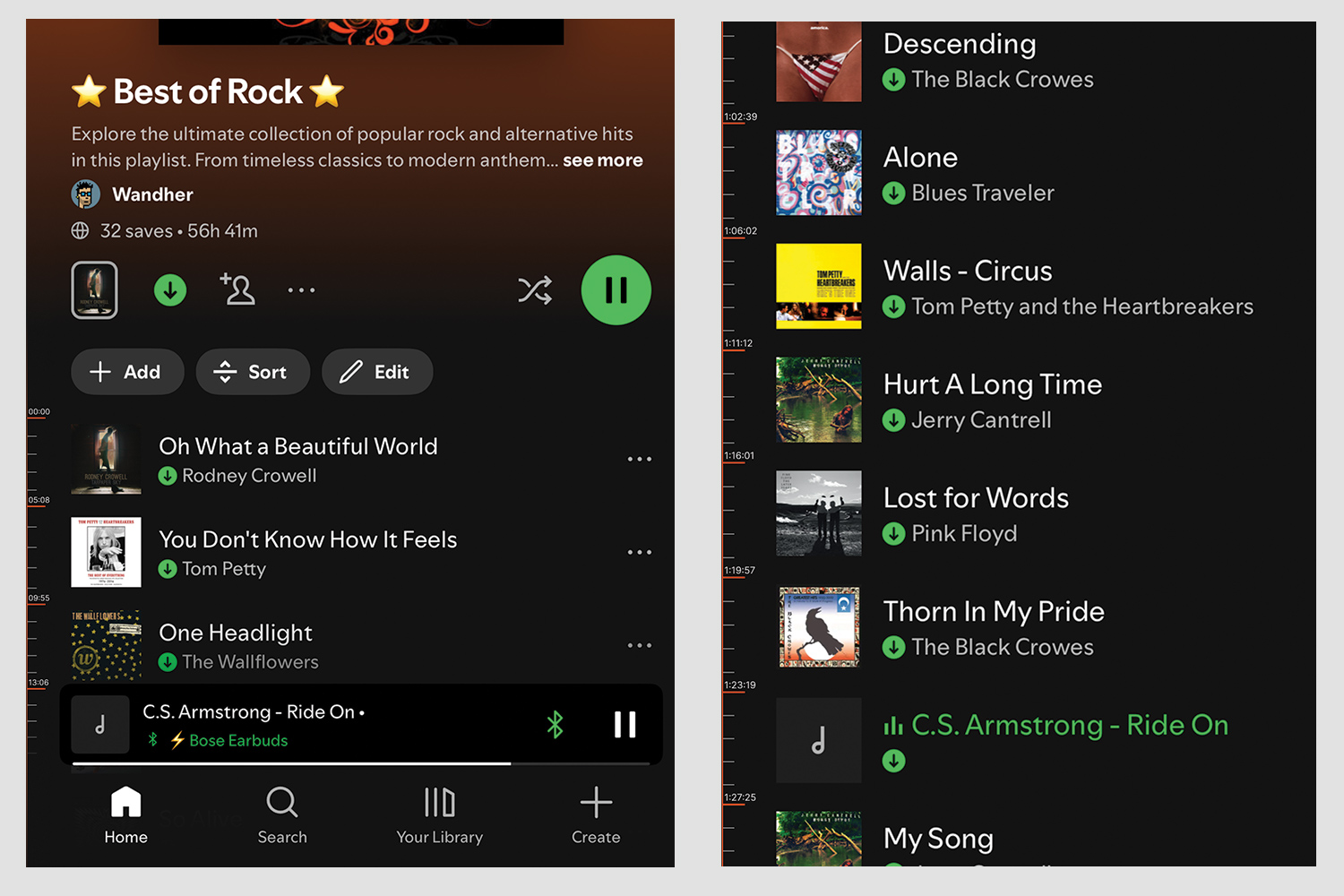











Long playlists on Spotify can last hours, but users have no way to know where they are in terms of total playtime. The only way to scroll is by track—not time. This makes it hard for people who are planning a workout, a party, or just want to jump to a certain part of the playlist. I wanted to solve this by adding a simple way to navigate using time, while keeping the experience clean and familiar.
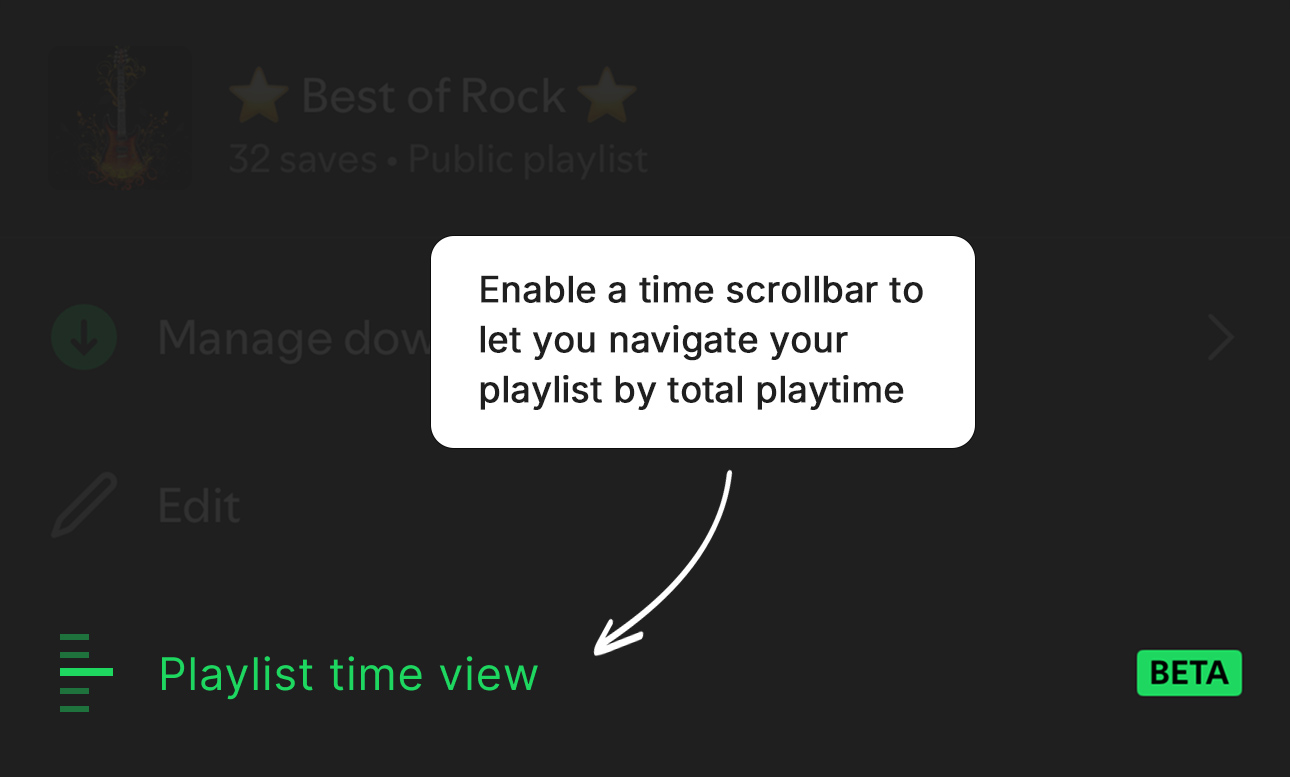
To keep the experience flexible, I introduced a new setting called Playlist Time View. This toggle gives users the option to enable time-based navigation without changing the default interface. A simple tooltip explains the feature clearly, ensuring users understand its value before turning it on.
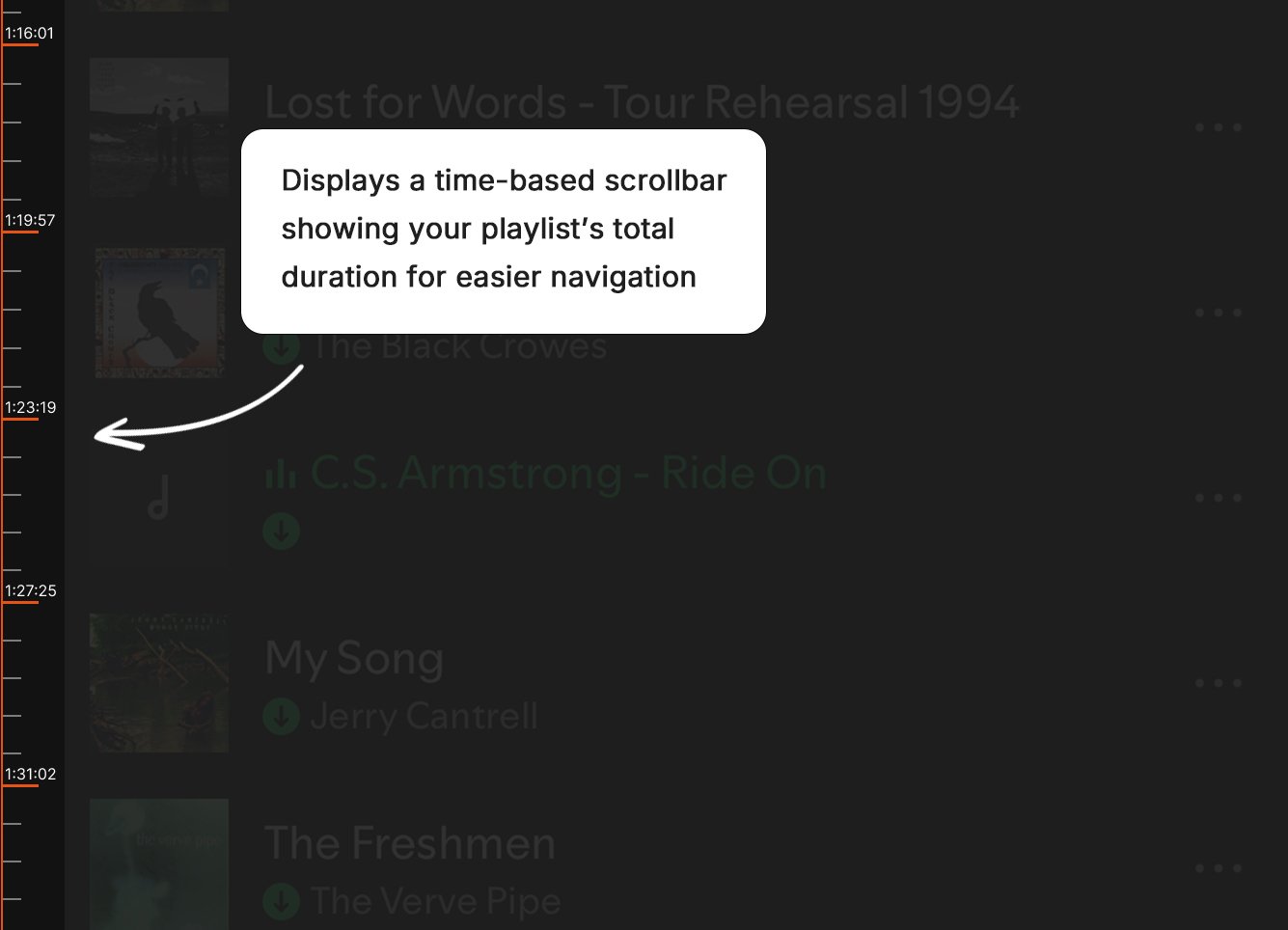
When the feature is enabled, a vertical scrollbar appears with time markers based on the playlist’s total duration. Instead of just seeing the playlist length at the top, users can now visually understand where each track lands over time. This makes it easier to predict pacing and plan around workouts, DJ sets, or any timed session.